Wednesday, 24 October 2012


4G Fourth Generation Of Mobile Phone
In Telecommunications 4G is the fourth generation of mobile phone mobile communications standards. It is a successor of the third generation  (3G) standards. A 4G system provides mobile ultrabroadband Internet access, for example to laptops with USB wireless modems, to smartphones, and to othe mobile devices conceivable applications include amended mobile web access, IP telephony, gaming services, high definition mobile TV, video conferencing and 3D Television. Recently, Android and Windows enabled cellular devices have fallen in 4G category. One base advantage of 4G is that it can at any point of travelling time provide an internet data transfer rate higher than any existing cellular services (excluding broadband and Wi-Fi connections)
http://en.wikipedia.org/wiki/4G

 
PURE DATA NETWORK
The current 3G mobile network handle both voice and data seperately. One of the most significant changes to the the most significant changes the 4G network that is a network, transfering Internet Protocol (IP) data packets. A completely data based will allow for more bandwith which means more data can be passed thryouh the network.
 
SPEED
In october 2010, the ITU set the standard for 4g Networks to have a peak data download speed of 100 Megabits per second in mobile applications such as mobile phones and roaming network devices and 1 Gigabit per second in local ficed locations.
 
RANGE
Current 3G network technology range is approximately 10 miles under optimum conditions 4G candidate WiMAX currently has a range of up 31 miles under optimum contions.
 
HAND OFF
Though current 3G networks do have the abiliti to transfer data, when a user leaves a 3G coverage area for another, the data transger may be halted or stopped due compability issues. The improved 4G network standards will eliminate this, allowing for smooth hand off from one coverage area to another without interruption to any ongoing data transfers.This will result in smooth streaming data for the user.
 
MORE DEVICES AND APPLICATIONS
Unlike current 3G smartphones and netbooks, which are light in processing power, 4G network devices can take advantage of the higher bandwith and speeds to deliver more robust and data heavy applications. One of the most anticipated uses of the 4G network is to be able to deliver high definition digital television to a handheld device. Other anticipated applications include portable online gaming, improved GPS and telemedicine.

Friday, 19 October 2012

Task 1.11
would a desktop or a portable computer be most suitable for the following people, and why?

Teacher

A teacher is a person who provides education for pupils and students.
So a teacher could use a desktop or a portable computer. It wouldn't be a an issue in his or her work.

News reporter

A news reporter is a person who presents news during programms in the format of a television show, on the radio or the internet.
a PDA would be more suitable for a news reporter because their job is stagnant and a PDA will be more convenient for communication.

Website designer 

A website designer is a broad term covering many different skills and disciplines that are used in the production and maintanance of websites. The different areas of web design include; web graphic design, iinterface design, authoring; including standardised code and proprietary software, user experience design and search engine optimization.
Web design software should be equipped with an array of graphic imaging tools that allows you to customize and enhance images for your site. 
It should be able to crop, resize and compress images directly in the software without the use of a third-party application. Additionally, the software should have an image library full of graphics, clip art and photographs that you can freely use.

They should use laptops.
http://en.wikipedia.org/wiki/Website_designer
http://web-design-software-review.toptenreviews.com/


Doctor (in a GP)

A doctor should use a desktop.


Which kind of computer?

Type of Computers

Laptop- a portable computer designed to fit on th lap (although most people use them on a table or desk). It carries out the same functions as a desktop computer but in a compact version that is alight enough to be carried around
Notebook- similar to a laptop but even more compact. The name comes from its small size, comparing it with the size, comparing it with the size of a notebook.

Netbook- similar to a notebook but designed mainly for wireless communication via email, messaging and access to the internet.
A netbook is usually cheaper and has a lower specification compared to laptops and notebooks. They increasingly have a solid state memory.

Personal Digital Assistant (PDA)- a portable device that is small enoughg to hold in the palm of a hand. It usually contains address book, note-making features, telephone and Internet facilities. It allows data to be exchanged with computers.


Desktop computers are probably the type of computer you are most familiar with. They come with a monitor (now usually a TFT screen), keyboard, mouse, CD-RW and a DVD-RW or at least a DVD-ROM

Mainframe computers are very large powerful computer systems that are usually at the heart of a business. The mainframe computer will have a very powerful processor, large amounts of main memory and a huge backing storage capacity. They are accessed through one or more terminals. Terminals consist of a screen, keyboard, mouse but no processor as all the processing is done by the mainframe.

Ipad The iPad is a tablet computer produced by the marketing geniuses over at Apple

The Amazon Kindle is a series of e-book readers produced by Amazon.com. Amazon Kindle enable users to shop for, download, browse, and read e-books, newspapers, magazines, blogs, and other digital media via wireless networking.[1] The hardware platform, developed by Amazon.com subsidiary Lab126, began as a single device and now comprises a range of devices — most using an E Ink electronic paper display capable of rendering 16 tones to simulate reading on paper while minimizing power consumption.


Task 1.9
Concernes about 10 year old having a mobile phone.

Children at the age of 10 and under are not meant to have a mobile phone beacuse the health effects about mobile phone radiation on children is worrisome.
Not only that but might get addicted to texting and it can cause so many things like ruining grammer and some scientists even say it causes cancer.
There are so many risk around using mobile phones at that age and they might be able to
manage the situation, so children at the age of 10 and under SHOULD NOT have a mobile phone


Task 1.10
Ruby's parents would like you tol help them make up their minds by finding out the advantages and disadvantages of using mobile phones.

ADVANTAGES

  • It is an easy way to communicate with anyone no matter the where you are
  • They can be used worldwide
  • It is useful for emergencies
  • You can be always connected
  • It assists in business


DISADVANTAGES

  • Use of mobile phone can be addictive
  • Mobile phone waves maybe harmful to our health
  • Some people use bluetooth and cameras in bad ways
  • In order to get up-to-date. People tend to change their mobile phones to often
  • The person who is dialing to a mobile phone cannot have the information as to where exactly the other person is
  • It is expensive


Mobile phone etiquette and safety device

  • Mobile phones can be expensive and are an easy target for thieves. You should activate the lock feature which requires a PIN
  • If you take a video or photo of someone on your phone, you should ask for their permission before you upload it to a public domain
  • Try to avoid using phones in quiet places e.g quiet coaches on trains and in libraries.
  • Recycle your old phone if you can.
  • As on the Internet, you should avoid viewing content that is unsuitable for your age range
  • You should not send malicious messages or make prank calls. This could lead to the police charging you with harassment.
  • When you are driving a vehicle, it is illegal to talk on the phone without a hands-free kit.
  • You should activate the keypad lock on your phone to prevent
source Edexcel GCSE Student book ICT

Wednesday, 17 October 2012

DESIGNING MOBILE PHONES
There are different phones available for different purposes


FASHION PHONES
These can be different shapes and have the ability to be customised, e.g change the fascias. Buttons   may be in odd places and may be inconvenient to use. They can be bright colours and higly designed, appealing to the fashion-conscious larger.

BUSINESS PHONES These use a slim, sleek design, usually in black ir metallic colours. They have large screens and an intergrated , full qwerty keyboard.
Feautures often include speaker phone, voice-activated dialling, the ability to synchronise it with other devices like netbooks and laptops, large screens to enable work on data files, GPS to get the user to unfamiliar destinations with ease, camera, personal digital assistant (PDA), and 3G compatibility for internet access- allowing users to carry one device rather than many.


MULTIFUNCTIONAL PHONES
These combine both style and business features, appealing to the mass market than niche. They have the best of both worlds: high-spec feauture, large amounts of storage, high-speed processing, slim design with touch screens and access to the internet.
Edxcel GCES ICT Students Book
Task 1.3
Task:

Your friends want to a copy of a photo you took on a day out in London.
It is common to send images between phones via MMS (Multimedia Messaging Service or text with a photo attached), but imagine that this service is down and you cannot use this method.
Your task is to send the photo from your phone (A) to all your friends phones without using MMS.
During different ways getting the picture to each of the phones using only the features specified in the table below


                Edxcel GCSE IT Student Book


Research all image file types and explain the major differences and option 

JPEG File
In computing JPEG is a commonly method of lossy compression of digital photography (image)
http://en.wikipedia.org/wiki/JPEG


GIF File
GIF file format commonly used for graphics presented on websites. GIFs can contain maximum of 256 colors, and are therefore best of images that contain simple shapes, a limited color palette, text and other elements as opposed to photos. GIF stands for Graphics Interchange Format.
GIF Files have the file extension .gif. GIF files are compressed using "lossless"  compression, meaning image quality is not sacrificed as file reduces. However, if you save images with many colors GIF files with a limited  color palette you will notice a reduction in quality. This is most obvious in photos.
Unlike JPG files, GIF files support transparent backgrounds. This allows GIF files to blend with website background colors. However, since pixels can only be 100% transparent or 100% opaque, you cannot use them for partial transparency, drop shadows, and similar effects. To achieve that, PNG files are best.


http://graphicdesign.about.com/od/Definitions/g/Gif-Files.htm

BMP File

BMP is one of a number of file formats used to store digital images. The bmp format was developed by Microsoft for Windows and all programs created for use in the Windows environment will recognize .bmp image files. The BMP file is a bitmap file which produces images from hundreds of small pixels of color. Little dots of different colors when combined together will produce the image which can easily be loaded from most web sites.
BMP files can be quite large and are not always practical for home use. The file will offer great detail because of its size but images saved in this format can quickly eat up a hard drives space. The typical uncompressed BMP file is ten times the size of a similar JPEG file which is compressed to make the image easier to store or transmit over the internet. If you are scanning photographs, JPEG is a much better choice than BMP for storage.


PNG File
Portable Network Graphics  is a bitmapped image format that employs lossless data compression PNG was created to improve upon and replace GIF (Graphics Interchange Format) as an image-file format not requiring a patent license.
PNG supports palette-based images (with palettes of 24-bit RGB or 32-bit RGBA colors), grayscale  images (with or without alpha channel), and full-color non-palette-based RGB[A] images (with or without alpha channel). PNG was designed for transferring images on the Internet, not for professional-quality print graphics, and therefore does not support non-RGB color spaces  such as CMYK.
PNG files nearly always use file extension PNG or png and are assigned MIME media type image/png; it was approved for this use by the Internet Engineering Steering Group on 14 October 1996. PNG was published as an ISO/IEC standard in 2004.

PNG transparency demonstration 1.png


http://en.wikipedia.org/wiki/Portable_Network_Graphics

TIFF File
TIFF is the short form of Tagged Image File Format . TIFF was developed by the Aldus Corporation in collaboration with various other contributors in 1986. It is a bitmapped image format that supports various resolutions. A TIFF file contains descriptive information about the image. A TIFF file is identified by a .tiff or a .tif file extension.
TIFF file formats are used for storing very large, high quality images. TIFF is the favored image format in many graphic applications. These include image manipulation programs, desktop publishing and 3-D imaging applications. Other applications that use TIFF is optical recognition software and scanning and faxing applications. A TIFF version called GeoTIFF is used to store geo-referenced raster imagery.
A TIFF file can have a maximum size of 4GB. This file size limitation is one of the drawbacks of TIFF. To get around it and to exceed the size boundary, the creation of a new TIFF file format called the BigTIFF file format has been proposed.


http://www.wisegeek.com/what-is-a-tiff-file.htm

WMF File
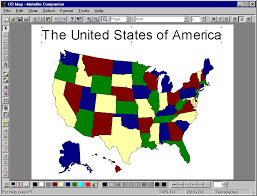
Windows Metafile (WMF) is a graphics file format on Microsoft Windows  systems, originally designed in the 1990s. Windows Metafiles are intended to be portable between applications and may contain both vector graphics and bitmap components. It acts in a similar manner to SVG Files.
Essentially, a WMF file stores a list of function calls that have to be issued to the Windows Graphics  Device Interface  (GDI) layer to display an image on screen. Since some GDI functions accept pointers to callback functions  for error handling  , a WMF file may erroneously include executable code.

http://en.wikipedia.org/wiki/Windows_Metafile

EMF File
EMF is a file extension for Enhanced Metalfile  , a spool file format used in printing by the Windows operating system.
When a print job is sent to the printer , if it is already printing another file, the computer reads the new file and stores it, usually on the hard disk or in memory , for printing at a later time. EMF files may be created and reside in memory or disk space when windows caches them while waiting on another printing job. Spooling allows multiple print jobs to be given to the printer at one time.


http://whatis.techtarget.com/fileformat/EMF-Enhanced-Windows-Metafile